
Twelve weeks, from first triple to deployed knowledge graph.
RDF, OWL, SPARQL, and modern knowledge graphs — from first principles to a deployed hybrid LLM + knowledge graph application. Every artifact, note, and stumbling point published as I go.
Four modules, one deeper arc.
The curriculum moves through the semantic web stack, from RDF foundations to a deployed hybrid system. Along the way, each module sharpens a different act of sensemaking: naming things, organizing them into types, qualifying claims, and using structured knowledge in practice.
The modules move forward through the technical stack while returning to a familiar pattern: naming, categorizing, justifying, and knowing.
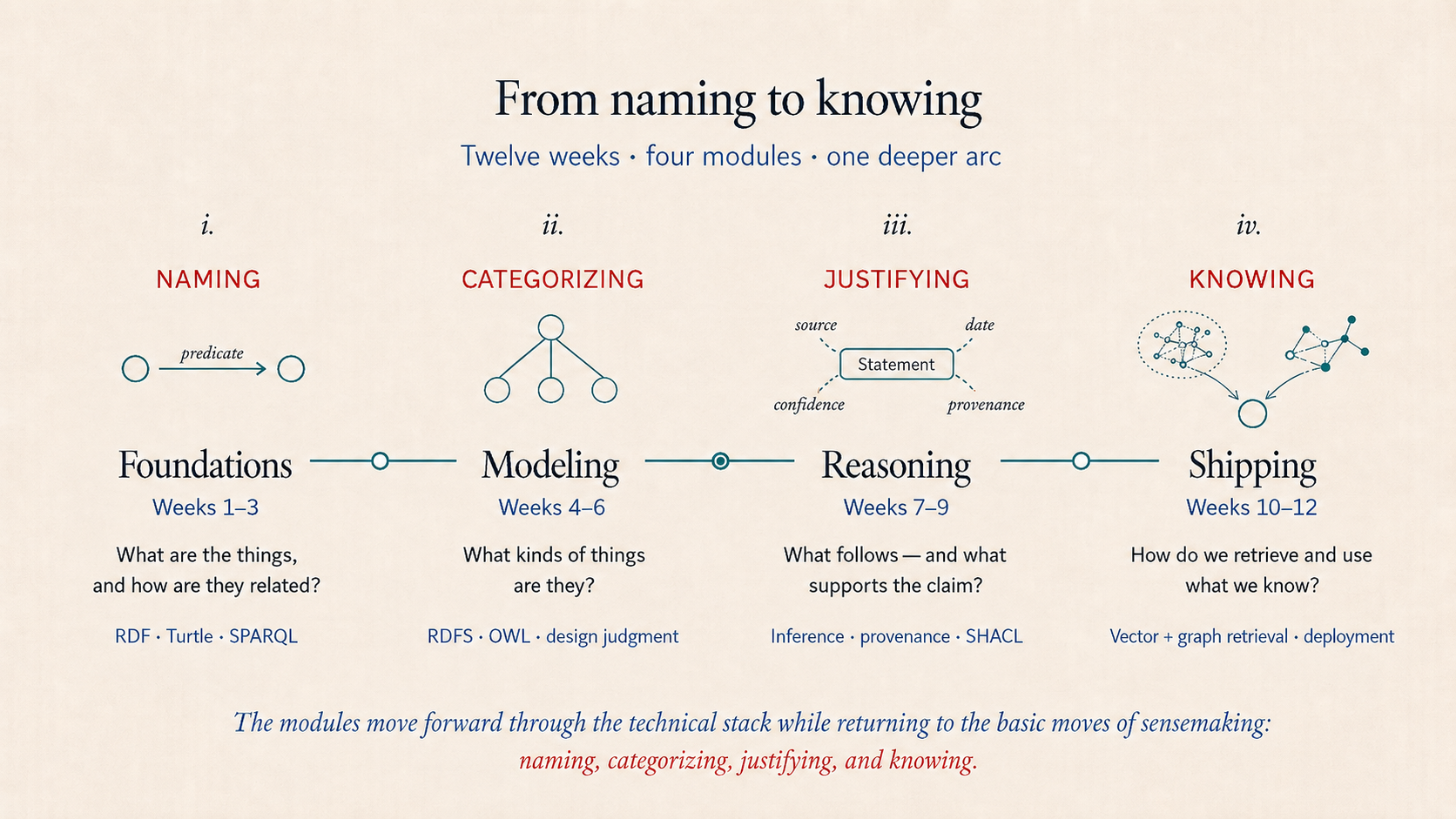
Foundations
RDF, Turtle, basic SPARQL. The conceptual core: knowledge as triples with global identifiers.
Modeling
OWL ontology design. The shift from RDF as data format to ontology as design discipline.
Reasoning
Inference, reification, vocabulary alignment, SHACL validation. The conceptually hardest segment.
Shipping
SPARQL UPDATE, deployment, hybrid LLM + knowledge graph capstone.
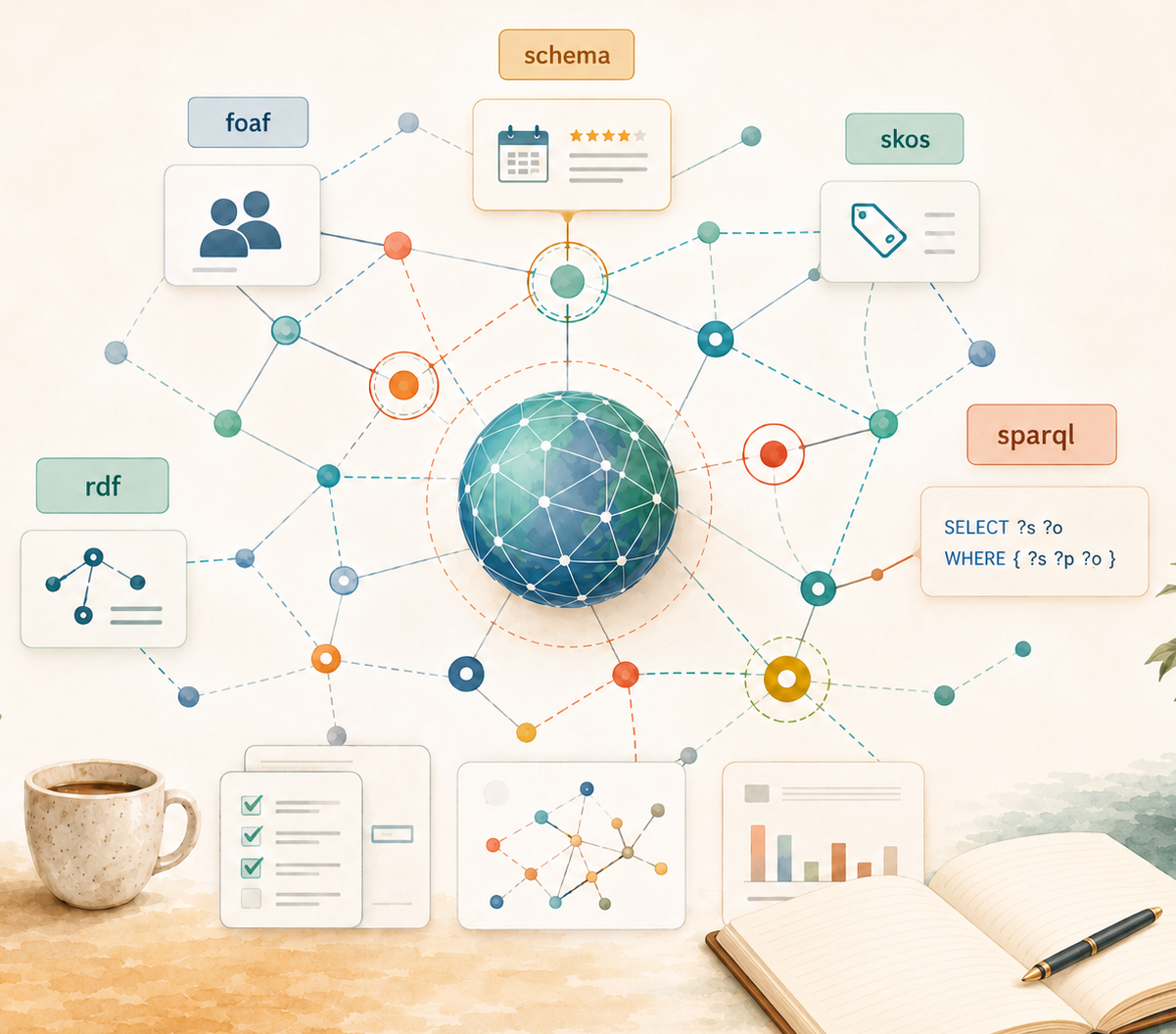
The semantic web stack, layered.
Each layer builds on the one below it. The curriculum walks up the stack in order: triples first, schemas next, ontologies and reasoning after that. SPARQL is the query language that runs across all layers.
Two existing projects as canvases.
Two projects I’d already built turned out to be ideal canvases for this material — which is half the reason the curriculum exists. The first is a character network from an anime I love, Naruto: its ranks, villages, and contested fan canon make surprisingly rich ground for real ontology design. The second is a knowledge graph of my own resume and skills — practical, since I’m consulting and job-hunting, and a sharp test case because its skill taxonomy already speaks SKOS.
Naruto Network Graph
A character network from anime subtitle data — 87 characters across three story arcs, with hand-coded canonical relationships layered over co-appearance edges. The rich categorical structure of the Naruto universe (ninja ranks, villages, jutsu, contested fan canon) makes it an unusually good semantic-web testbed. Pop-culture domains are standard in ontology pedagogy: the Pizza ontology is the canonical Protégé tutorial for the same reason.
Resume Graph Explorer
A career graph with ESCO/SKOS integration — existing Neo4j implementation with skill taxonomy linked to the European Skills, Competences, Qualifications and Occupations vocabulary. The reason it anchors Module 1: ESCO is already a SKOS vocabulary, which means the case for RDF over a labeled property graph is exceptionally sharp here. Returns in Module 3 as a venue for skill inference work.
The two projects are useful in opposite ways. Naruto's world is densely categorical — ranks, villages, jutsu types, contested fan canon — which is the raw material that ontology modeling and reasoning feed on, so it carries Modules 2 and 3. The Resume Graph is the other kind of useful: its skills already map to ESCO, a published vocabulary, so it makes the foundational case for linked data concrete instead of toy — which is why it anchors Module 1.
Everything lives here.
The GitHub repository is the canonical record. Syllabus, weekly progress, exercises, ontologies, notes, and published artifacts all live in one place. Visitors land on the README; followers track PROGRESS.md for weekly updates.
Coming as each module lands.
These slots will fill in as each module produces its artifacts. Listed here so the structure is visible from day one and the work has clear targets. Track what’s shipped and what’s next on the roadmap.
SPARQL playground for ESCO queries
Embedded query editor with sample queries from the Resume Graph Explorer comparison. Run live against a public endpoint.
Naruto ontology in WebVOWL
Interactive class hierarchy explorer rendered from the published Turtle. Click any node to see properties and instances.
Designing an ontology in 3 hours
Time-lapse screen recording of the actual modeling work. The wrong turns visible. Less polish than tutorial videos; more honesty.
Reification approaches, compared
Side-by-side: same fact expressed in classical RDF reification, n-ary, named graphs, RDF-star. Toggle between styles.
Naruto Knowledge Graph Explorer
Public web app. Ask natural-language questions, see generated SPARQL, explore character networks with ontology overlay.
Live progress dashboard
Auto-generated from PROGRESS.md commit history. Modules completed, artifacts shipped, current focus. Embedded on homepage.
The canonical references.
None of the conceptual content in the curriculum is original; the contribution is the path through it. These are the books and specs the curriculum points to repeatedly. The full bookmark set lives in resources/reading-list.md.
One practitioner, working openly.
This curriculum is published under Sensemaking AI, an independent AI and machine learning consulting practice. It’s run solo by Barbara Hidalgo-Sotelo — cognitive scientist, AI/ML consultant, Toastmaster, marathon runner, beekeeper, and longtime builder of quirky-but-rigorous data projects.
Two web homes, two different jobs. barbhs.com is the technical portfolio — projects, experiments, the body of work. sensemaking-ai.com is the practice — applied AI work for people and organizations who want to think clearly with AI, not just move faster because of it.
The curriculum sits between them. It’s how the technical body of work gets developed in the open — redos, failed exercises, and wrong turns included, because the process is more useful than a polished finished state. More on why I work this way is in the launch note.
Follow along on GitHub for the canonical record and LinkedIn for twice-weekly progress; longer essays land on sensemaking-ai.com.
Questions, corrections, and discussion welcome via the repository’s issues. Pull requests on the curriculum itself aren’t accepted — this is a personal learning project — but disagreements about design choices are always interesting.
Exploring messy data, intelligent systems, and what it means to make meaning — through the lens of a cognitive scientist who builds things people actually use.